Two-Factor Authentication (2FA) explained and why you absolutely need it
If someone hacks your password, 2FA requires a second, separate piece of proof that it is really you - usually via SMS, a messenger, or an app on your phone for all your accounts.
Something only you have.
You don't do it all the time, but when you log in from a new device. The added security will let you sleep much better, and here we explain how to do this easily.
How does 2FA work?
Having a strong password is no longer enough to prevent hackers from accessing your bank or email account.
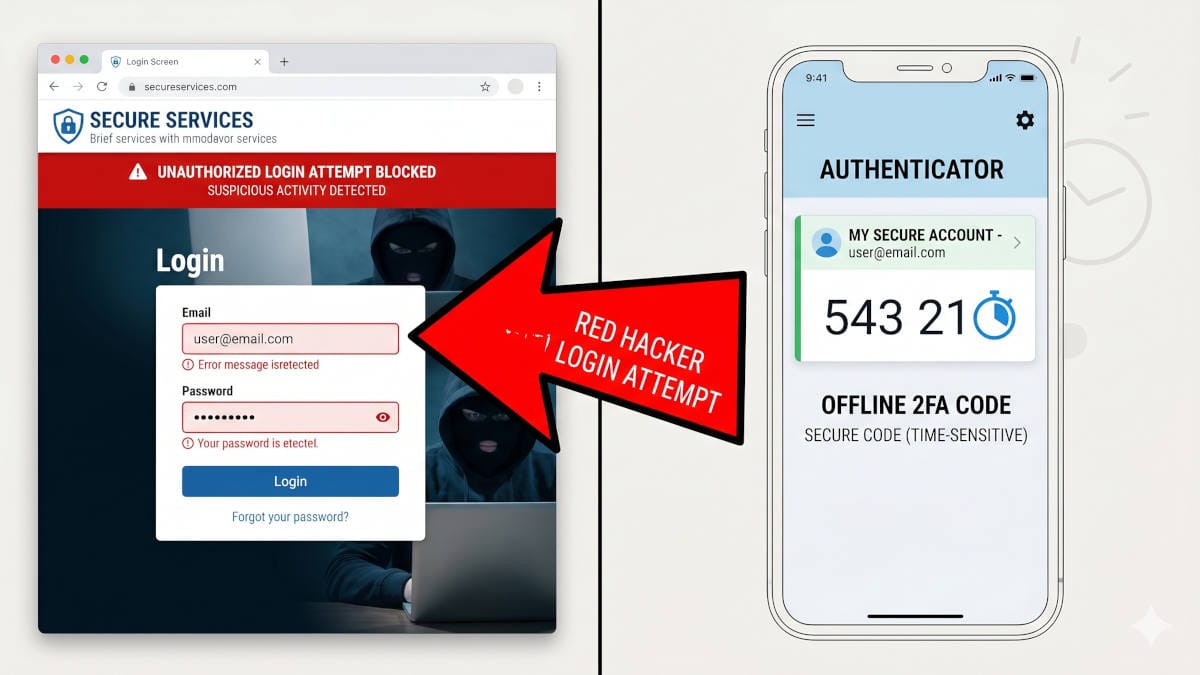
Two-Factor Authentication acts like a double-locked door for your life. When you enter your username and password, the website will pause and ask for a temporary, randomly generated security code.
If a criminal steals your password in a data breach, they still cannot log on as you, because they do not have that second code.
This second step proves that the person trying to log in is actually you, holding your approved, physical device.
How it affects your privacy
The constant exposure of our personal data has made 2FA a mandatory requirement for privacy online. In the beginning of 2026 alone, there were almost 500 major data breach events across the internet. Hackers use these leaked databases to reverse engineer your passwords on dedicated hardware and launch automated attacks against your personal accounts.
However, not all 2FA methods are safe.
Criminals can now easily hijack even your phone number through "SIM swap scams", which trick your mobile provider into transferring your service to them.
A landmark $33 million arbitration order against T-Mobile in 2025 proved how easily thieves can exploit this flaw to intercept text messages and drain financial accounts.
If your bank relies on an SMS text message to verify your identity, your money is at risk.
What to Do: The do's and don'ts of 2FA
Securing your accounts requires choosing the right tools and abandoning outdated, vulnerable methods.
- Don't use SMS texts
That's not a joke or conspiracy. Never use your phone number to receive security codes.
Hackers can easily intercept text messages by tricking your mobile provider into transferring your number to their SIM card. - Do use a FREE authenticator app
Download a dedicated, free authenticator app like Proton Auth (our favorite) or Ente Auth to generate security codes directly on your physical device.
Read our comparison and recommendation here.
This ensures a hacker cannot intercept your codes over the network. - Don't rely on Email codes
Avoid sending 2FA codes to your primary email address. If a hacker successfully breaches your email account, they will automatically gain access to all your other connected accounts.
Saying this, you absolutely have to secure your Email login with 2FA!
If your current Email provider does not support this (most do), you need to change providers. - Save backup codes
When you set up an authenticator app, the website provides a list of emergency backup codes.
You must print these out and store them in a secure physical location so you are never locked out.
What Happens When You Change Devices?
From our own bad experience with Google Authenticator, switching phones can be a nightmare for 2FA, but modern apps have mostly solved this problem through cloud syncing.
If you upgrade or change your device, most top-tier authenticator apps now let you log in and seamlessly transfer your codes to the new phone or export them.
Be aware, that still many articles promote "Authy", which is years ago outdated advice and with newer, much better tools it is now even actively discouraged to use Authy (read more in the comparison article below).
A great password you will never remember is actually the best security
A great way to prevent getting hacked is to use passwords you did not create yourself and that are secure on their own because they are too random to guess by the most advanced algorithms.
A password manager creates and remembers them for you by securely storing them off your device, so you can use them everywhere.
It is extremely convenient and super easy to set up, and it just goes along without a tedious transition or setup.
 BOP Authors